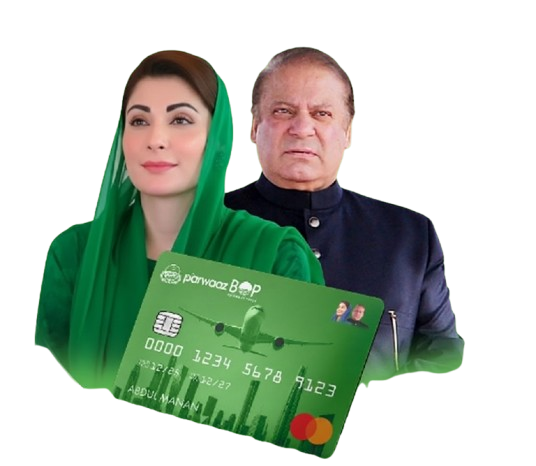

Parwaaz Card OEP Registration Portal
The Parwaaz Card OEP Registration Portal is designed for Overseas Employment Promoters who want to create an account and access Parwaaz Card-related services for candidates. Through this portal, licensed OEPs can register their business details, log in to their account, and manage candidate-related activities.
To complete registration, an OEP needs valid BEOE licence information, an active email address, a phone number, and a secure password. Entering accurate details is important because the account may be used for candidate management and other Parwaaz Card services.
What Is the Parwaaz Card OEP Registration Portal?
The Parwaaz Card OEP Registration Portal is an online registration system for Overseas Employment Promoters. It gives OEPs a dedicated account through which they can access services connected with the Parwaaz Card program.
Instead of handling every step manually, registered OEPs can create an online profile using their official licence details. This makes it easier to keep records organised and manage candidate information through one account.
The portal is mainly meant for licensed employment promoters who are involved in overseas job placement and need to work with applicants under the Parwaaz Card system.
Who Can Register as an OEP?
The portal is intended for Overseas Employment Promoters who hold valid BEOE licence information. Before creating an account, an OEP should make sure that the licence title and licence number are entered correctly.
The BEOE licence details help identify the promoter and connect the registration with the correct employment business record. Incorrect information can create problems during account setup or later account management.
Applicants should use their own official business information and avoid registering with incomplete, outdated, or incorrect licence details.
Information Required for OEP Registration
The registration form requires a few important details from the Overseas Employment Promoter. It is better to keep this information ready before opening the Parwaaz Card OEP Registration Portal.
| Required Detail | Purpose |
|---|---|
| BEOE License Title | Identifies the registered title of the OEP licence |
| BEOE License Number | Connects the account with the OEP’s licence record |
| Email Address | Used for account-related communication |
| Phone Number | May be used for contact and verification |
| Secure Password | Protects access to the OEP account |
Use an email address and mobile number that remain active. These details may be needed for important portal updates, login support, or account verification.
How to Create an Account on the Parwaaz Card OEP Registration Portal
The registration process is simple when all required details are available. OEPs should carefully check every field before submitting the form.
Follow these steps to create an account:
- Visit the official Parwaaz Card OEP Registration Portal.
- Select the OEP registration or account creation option.
- Enter the BEOE License Title exactly as required.
- Add the correct BEOE License Number.
- Enter an active email address.
- Provide a valid phone number.
- Create a strong password for account security.
- Review the entered information carefully.
- Submit the registration form to create your OEP account.
After successful registration, keep your login details safe. These credentials may be needed whenever you want to access your account and manage candidate-related work.

Why Correct BEOE Licence Information Matters
The BEOE licence title and number are among the most important parts of the registration process. These details identify the Overseas Employment Promoter and help maintain proper records on the portal.
A small typing mistake in the licence number or title may cause delays, confusion, or difficulty while accessing services. OEPs should compare their entered information with their official BEOE licence before submitting the form.
Using accurate information also helps ensure that candidate-related activity is connected with the correct registered promoter account.
OEP Login and Candidate Management
Once registered, OEPs can use their account login to manage candidate-related activities available on the portal. This can help promoters handle information more efficiently without relying on separate manual records.
The portal may be used to review and manage applicants connected with the OEP account. For example, an OEP may need to keep candidate information updated and ensure that details submitted through the system are complete.
It is important to use only verified applicant information. Names, contact details, job-related records, and other submitted data should be checked carefully before being added to a candidate profile.
Using Offer Letters for Job Holder Loan Applications
The provided information indicates that OEPs may be able to process loan applications for job holders by using offer letters. This means the offer letter can play an important role in supporting a candidate’s application where such a service is available.
OEPs should ensure that any offer letter used in the process contains correct and genuine employment information. Candidate details should match the relevant records, and the document should not include misleading or incomplete information.
Before submitting any loan-related request, OEPs should review the requirements shown in the portal. The exact process, required documents, and approval conditions should be followed according to the official system instructions.
General Applicant Eligibility Considerations
The Parwaaz Card OEP Registration Portal is meant to help OEPs register and manage candidates, but every applicant may need to meet the program’s required conditions before moving forward.
OEPs should review candidate information carefully before submitting any record. This may include checking whether the applicant’s identity details, job information, and supporting documents are complete and accurate.
Since detailed applicant eligibility rules were not included in the available information, OEPs should rely on the portal’s official instructions for the latest requirements. This can help prevent incomplete applications and unnecessary delays.
Security Tips for OEP Account Registration
The OEP account may contain important business and candidate-related information. For this reason, account security should be taken seriously.
Keep these points in mind while using the Parwaaz Card OEP Registration Portal:
- Use a strong password with a mix of letters, numbers, and symbols.
- Do not share your password with staff members or unknown people.
- Use an email address that only authorised people can access.
- Keep your phone number updated.
- Double-check BEOE licence details before registration.
- Log out after using the portal on a shared computer.
- Do not enter account information on unofficial websites or suspicious links.
Protecting login details can help keep candidate records and OEP information secure.
Common Mistakes to Avoid During Registration
Many registration problems happen because users enter incomplete or incorrect information. OEPs can avoid unnecessary issues by checking their details before submitting the form.
Do not use an incorrect BEOE licence number, inactive email address, or temporary phone number. Avoid weak passwords that can be guessed easily. It is also important not to create multiple accounts with conflicting details unless the official system specifically allows it.
If any information changes after registration, use the available official support or account options to keep records updated.
Frequently Asked Questions
What is the Parwaaz Card OEP Registration Portal?
It is an online portal where Overseas Employment Promoters can create an account and access Parwaaz Card-related services for candidate management.
What details are needed to register as an OEP?
You need a BEOE License Title, BEOE License Number, email address, phone number, and a secure password.
Is a BEOE licence required for OEP registration?
Yes, BEOE licence information is required while creating an account on the Parwaaz Card OEP Registration Portal.
Can OEPs manage candidates after registration?
Yes, registered OEPs can log in to their account and manage candidate-related activities available through the portal.
Can offer letters be used for loan applications?
The available information indicates that OEPs may use job offer letters while processing loan applications for job holders, subject to the portal’s official process and requirements.
Why should OEPs use a strong password?
A strong password helps protect the account, business details, and candidate-related information from unauthorised access.
Final Words
The Parwaaz Card OEP Registration Portal provides Overseas Employment Promoters with a structured way to create an account and manage candidate-related services. By entering correct BEOE licence details, using an active email and phone number, and keeping login information secure, OEPs can complete registration more smoothly.
Before submitting candidate records or loan-related requests, always check the latest instructions available through the official portal and make sure all information is accurate.
Parwaaz Card Terms And Conditions for Correct Registration And Full Guide 2026